Practice test maker · How to
How do I make a practice test from my notes?
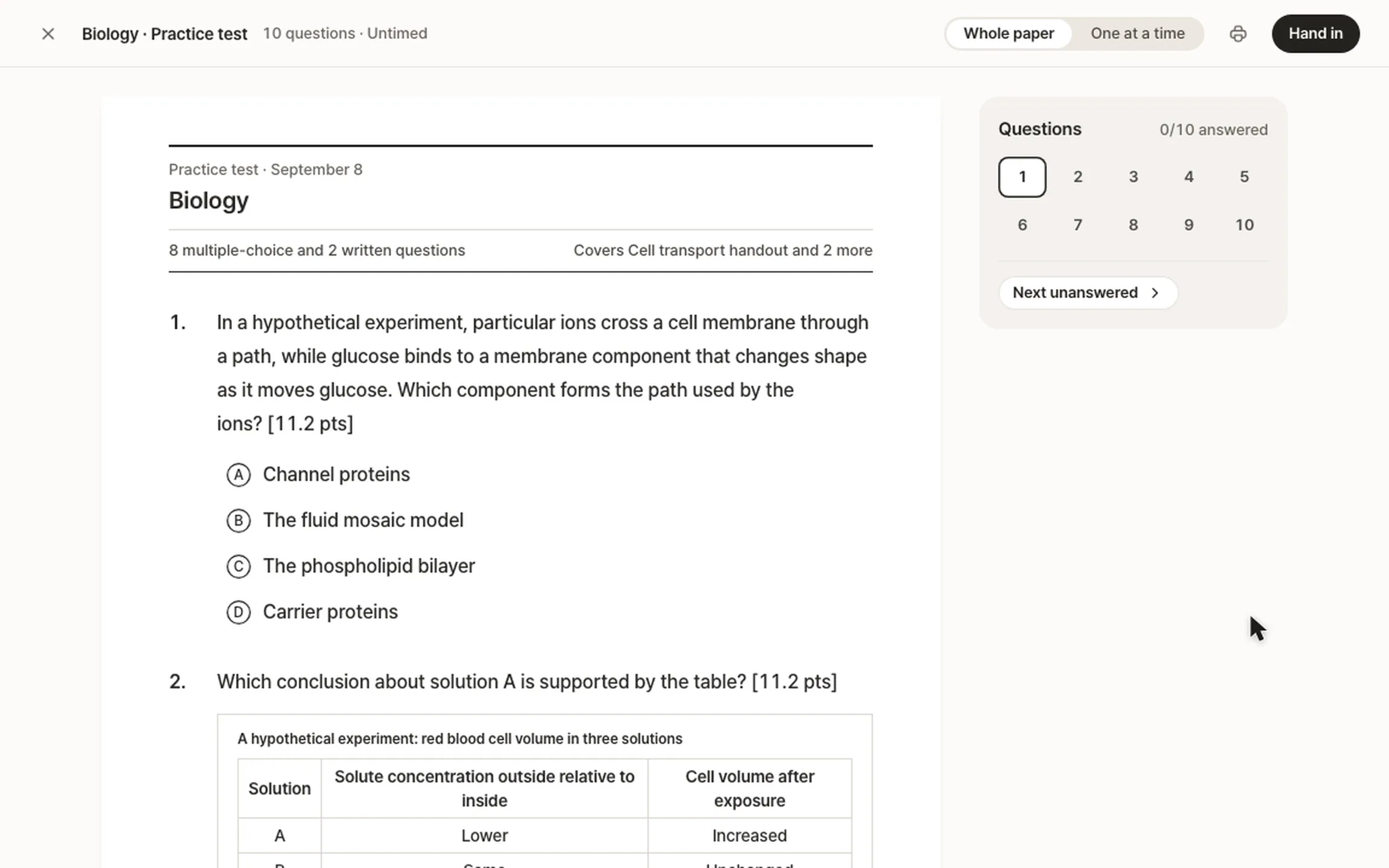
Snap your notes or upload the PDF in StudyLess, then make a practice test from them in Practice tests. Every question is written from your notes alone, and every answer comes back marked, written ones point by point.


How to do it in StudyLess
Add your notes
On Home, tap Snap a photo for your pages, or Files for a PDF: up to 40 photos or 50 pages in one Free upload.
Make the test
Open Practice tests, start a new test and choose the notes it covers and how long it runs: Mini, Exam-length or your own mix of questions, timed or not.
Take it and see the marks
Every answer is marked. A miss shows why, and where in your notes it's taught when it can tell, and waits in Mistakes to retry.
- On Free
- 2 practice tests and 2 uploads a week. Studying what you made is free and unlimited.
- Only your notes
- Questions come from what you added, never filled in with a guess. AI can still get one wrong, so check what matters.
- Handwriting
- Clear photos of handwritten pages work. A page that can't be read is noted as unclear, never guessed.
Questions
Is it free?
Yes. Free makes 2 practice tests a week, and 2 uploads a week to make them from. Studying everything you made is free and unlimited, without ads. Pro is for making more. See what Pro adds.
Can it look like my teacher's test?
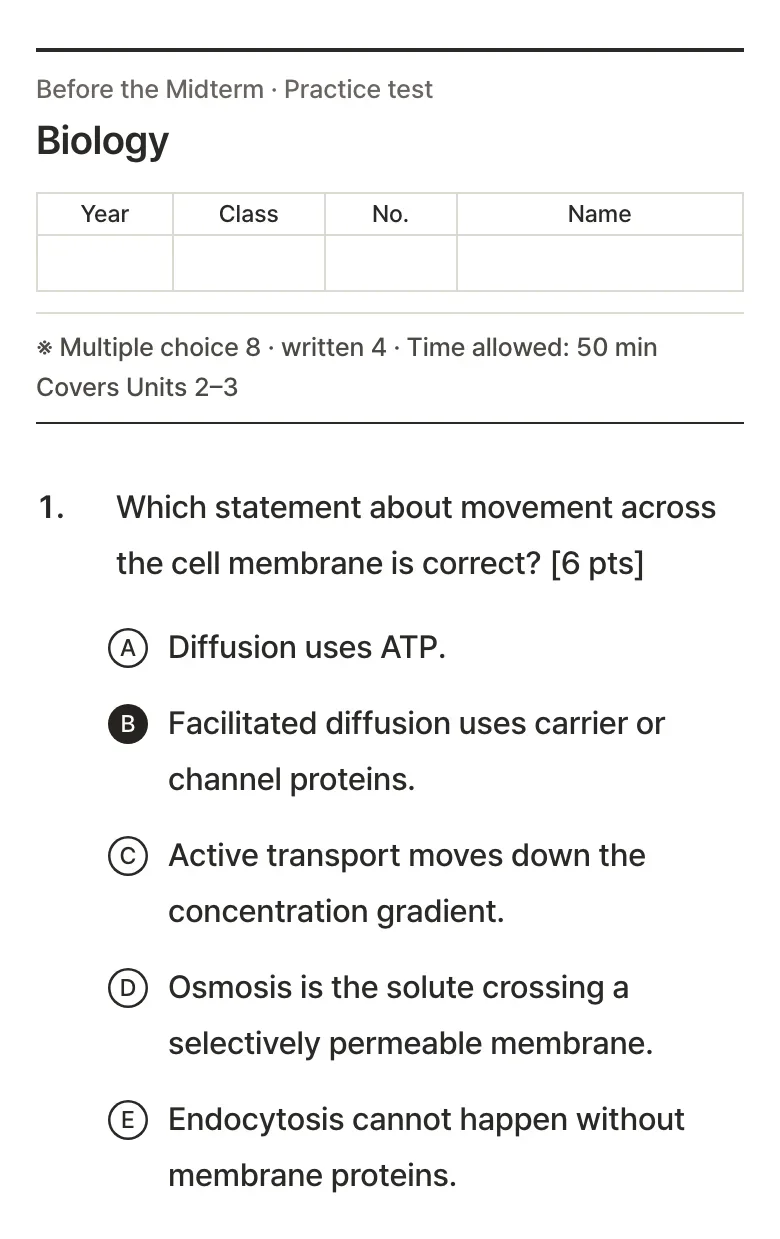
Yes. Attach last year's test when you make one, and the new test follows its layout, its points and how its questions are phrased, with every question new and written from your notes. Here's how.
Can't I just ask an AI chatbot?
A chatbot can write questions from your notes too. StudyLess lays them out like a real paper, marks written answers point by point, shows where in your notes a missed question is taught when it can tell, and keeps your misses to retry.
Can I print it?
Yes. On the web, print it as a two-column A4 paper and sit it on paper.
Where can I take it?
In the iPhone and Android apps and on the web, from any of your materials.
