Practice test maker · How to
How do I make a practice test from last year's test?
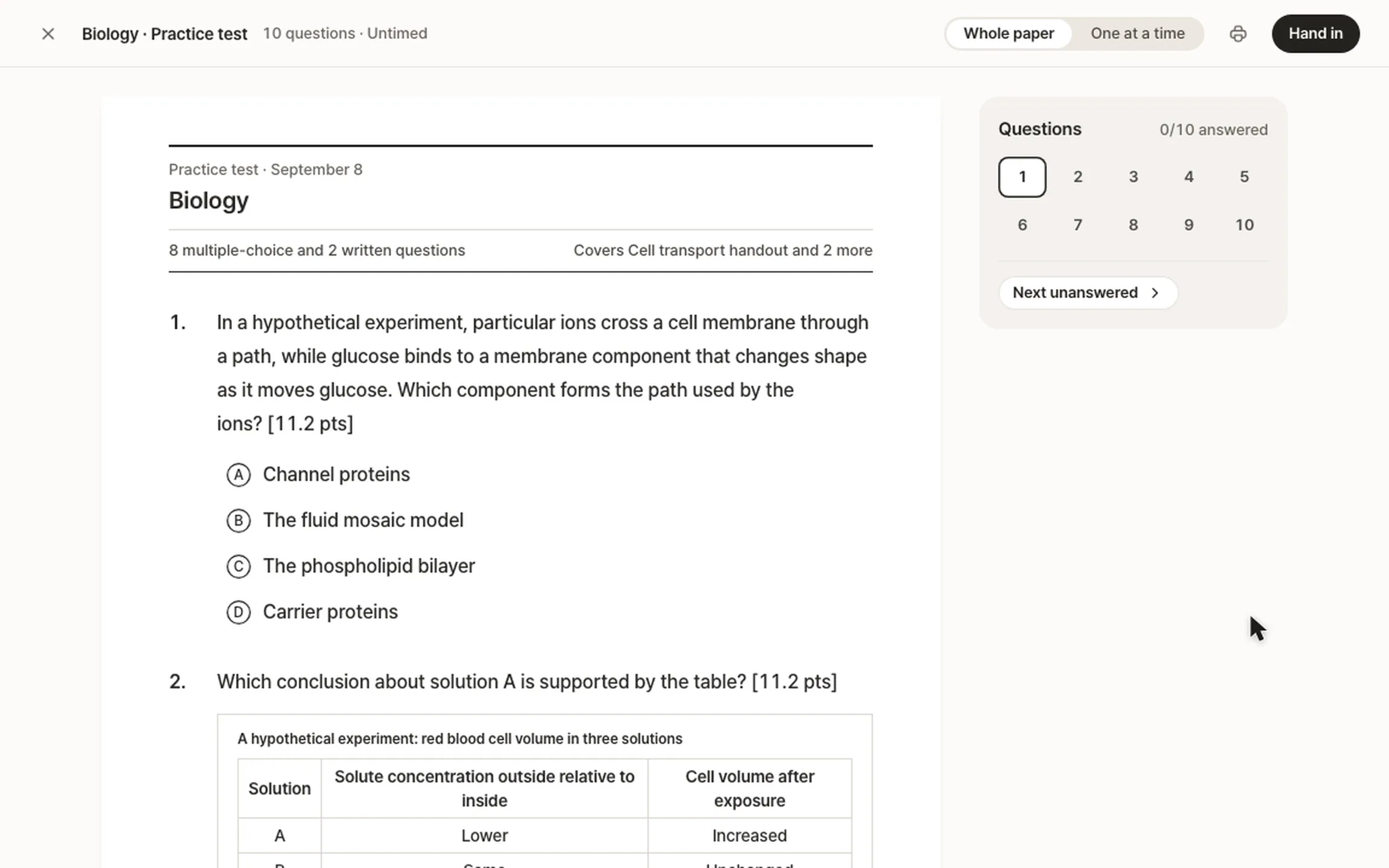
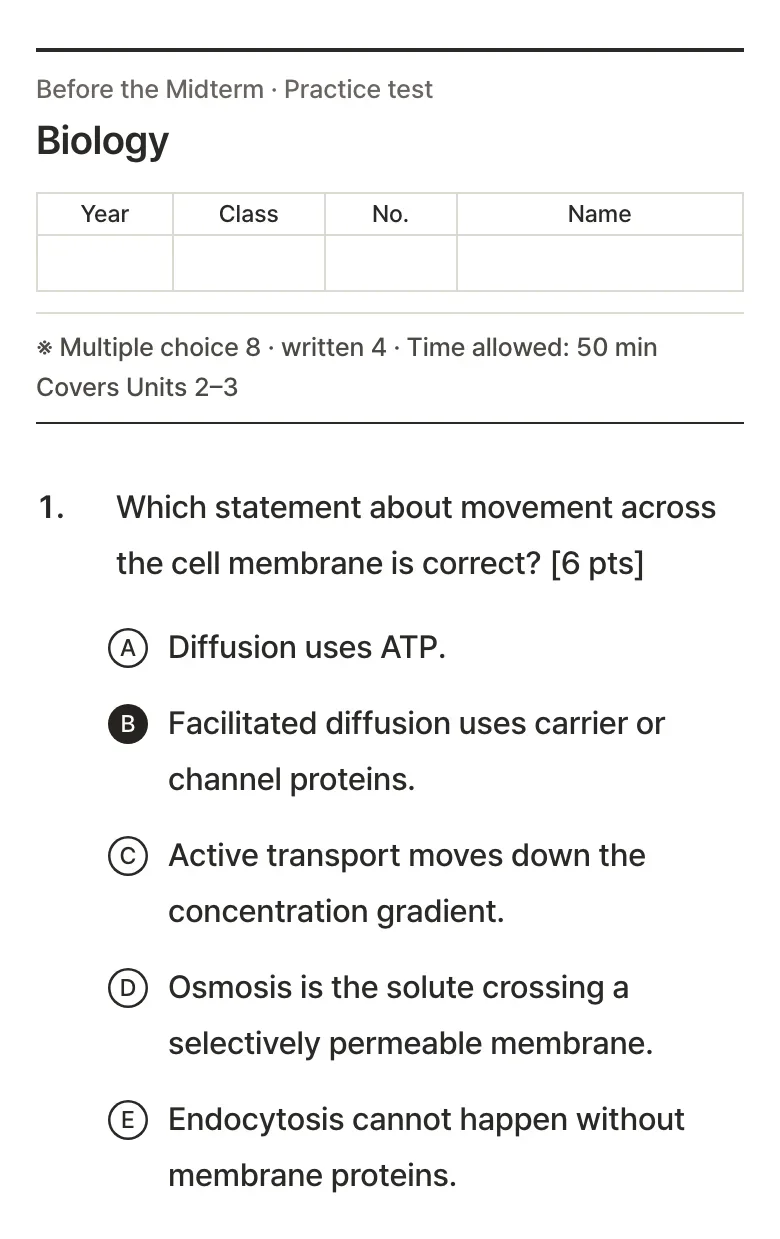
Add your notes to StudyLess, then make a practice test and attach last year's test as photos or a PDF. The new test follows its format, the number and kinds of questions, their points and how they're phrased, and every question is new and written from your notes.


How to do it in StudyLess
Add your notes
Snap a photo of your notes or upload the PDF. The questions come from these, so add every part the test covers.
Attach last year's test
Open Practice tests, start a new test, choose your notes and tap Match a past paper: photos of its pages (up to 8) or its PDF.
Take the new test
It follows the old paper's layout and points, and its time if the paper shows one. Every answer is marked, and misses wait in Mistakes.
- Nothing copied
- The old questions are never reused. Only the paper's layout is kept; the paper itself isn't stored or shared.
- What it reads
- Up to 8 photos, or a PDF of up to about 9 MB. Reading it doesn't count toward anything; the test is one of Free's 2 a week.
- Your notes set the content
- A topic that isn't in your notes won't be on the test, so add everything the test covers.
Questions
Is it free?
Yes. Reading the old test doesn't count toward anything, and Free makes 2 practice tests a week from 2 uploads a week. Studying everything you made is free and unlimited, without ads. Pro is for making more. See what Pro adds.
Will it copy the old questions?
No. It reads the old test's layout, and writes every question new from your own notes.
What can it follow?
What it reads on the paper: multiple choice, short answer and written questions, questions with a table or a list of statements to judge, how many of each, their points and how they're phrased.
What if my photos don't work?
It needs clear photos of the questions. If a page doesn't read as an exam paper, take flatter, brighter photos and try again.
What if I don't have notes yet?
Add whatever your class used: photos of the handouts or textbook pages, the slides as a PDF, or a recording of the lesson. Here's how.
