AI flashcards
AI flashcards from your own notes
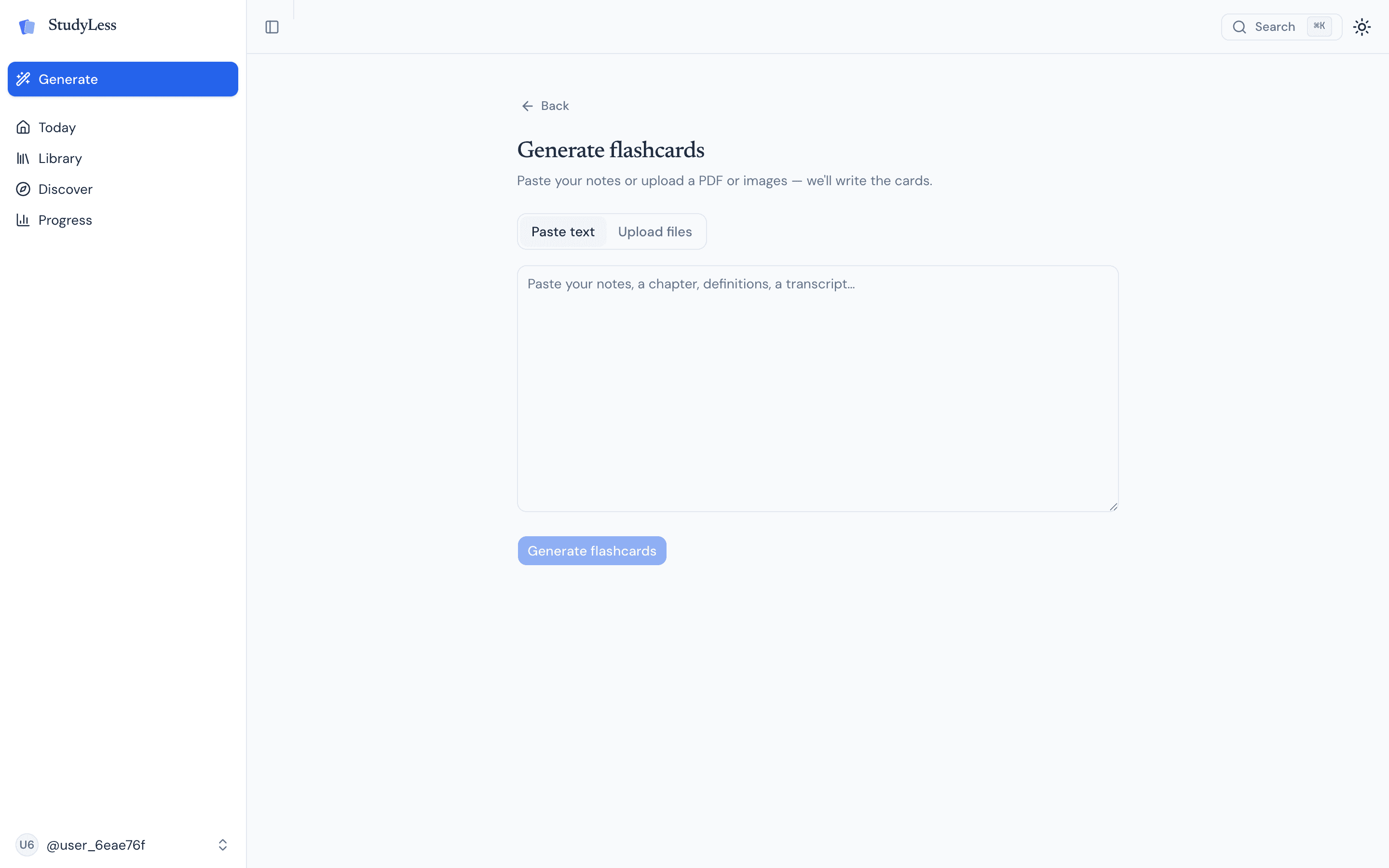
Paste text or upload notes, photos, PDFs, and slides. StudyLess turns your material into clean question-and-answer cards in under a minute, ready to review in your browser or on your phone.
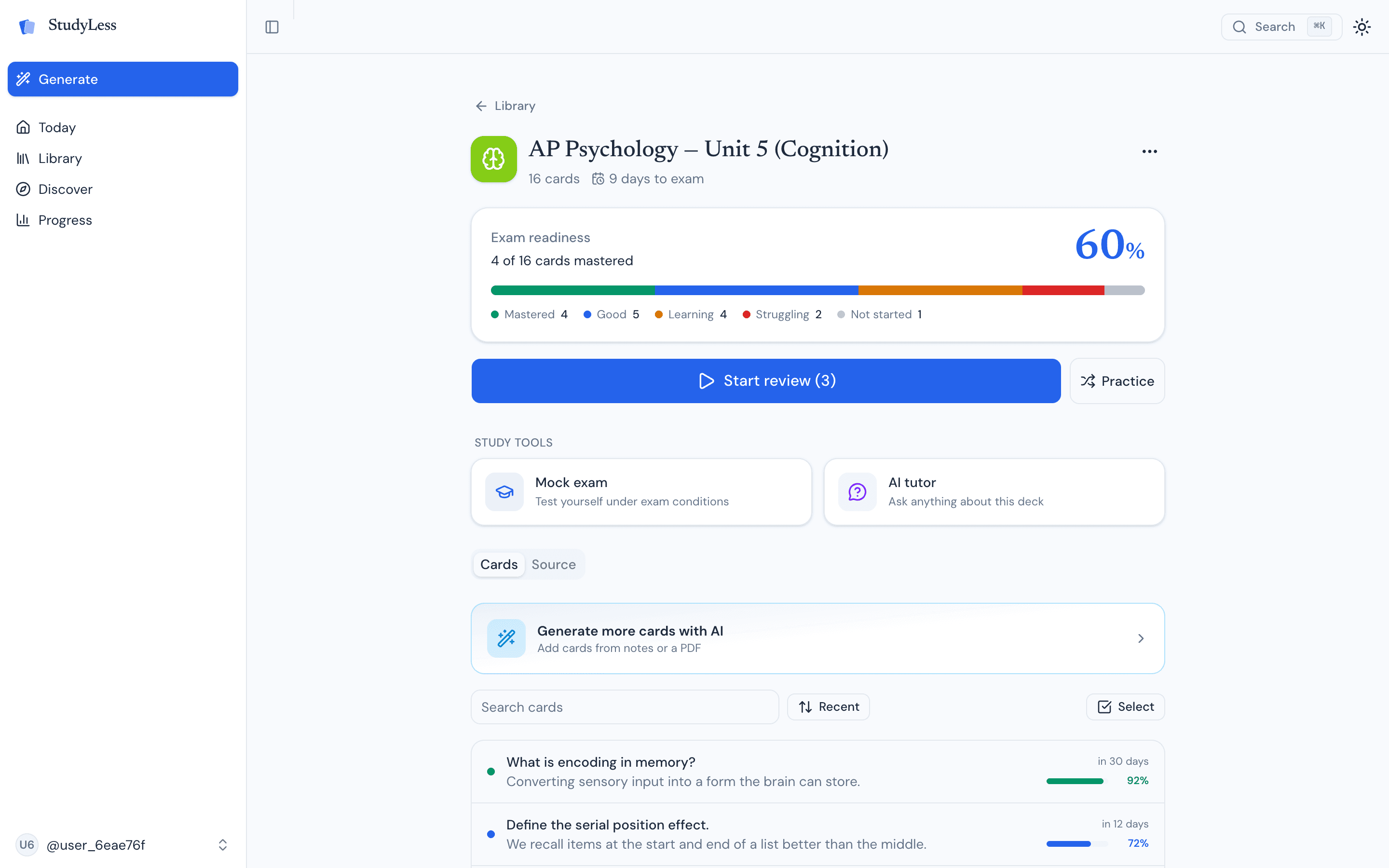
Workflow
Upload anything you'd otherwise re-read
Class photos, scanned textbook pages, lecture slides, PDFs, or text you paste from anywhere. StudyLess reads what you upload and picks out the testable concepts. You don't need to clean up the source first or split it into chunks. Photos, files, and text all flow through the same generator.
One screen handles pasted text, files, and photos.
How it works
Cards built for active recall
Recognition feels productive but doesn't move material into long-term memory. Every StudyLess card is shaped to make you actually retrieve the answer.
One concept per card
Big questions get split into focused smaller cards instead of single multi-part prompts.
Question phrasing forces retrieval
Cards ask you to produce the answer, not pick it from a list of options.
Answers are short and precise
Definitions, processes, and key facts, usually one sentence so the answer is easy to check.
Pro tip
Edit anything before you commit
AI flashcards aren't perfect. A few minutes of scrolling, deleting redundant cards, and rewording awkward questions makes the deck noticeably better. Most students skip this step and regret it later.
Generate, edit briefly, then review every day.
Works for AP, IB, SAT, ACT, GCSE, finals, and vocabulary
Anything that turns into a question and an answer works. AP exams, IB Higher Level papers, SAT vocabulary, ACT science passages, GCSE and IGCSE revision, school finals, midterms, language vocab, and certifications. The generator doesn't care what the subject is, only that there's a question and a correct answer.
FAQ
Common questions
Yes. Upload images of class notes or textbook pages and StudyLess generates flashcards from them.
Yes. Drop a chapter PDF in and the generator reads each page and pulls out the testable concepts.
Manual cards give full control, but AI flashcards save the setup time that usually keeps students from getting started. StudyLess is designed to help you start reviewing faster.
Yes. Every card is editable. You can rewrite, delete, or merge cards before you review.
Keep exploring
More from StudyLess
Set your exam date. Know what to study today.
StudyLess is free on web, iOS, and Android. Open it in your browser and turn your next exam into today's plan.
Free · web, iOS & Android



Scan to get the app on your phone.